
Everyone can create their own CoPath Favorites bar which is on the Left Panel in CoPath.
To do this:
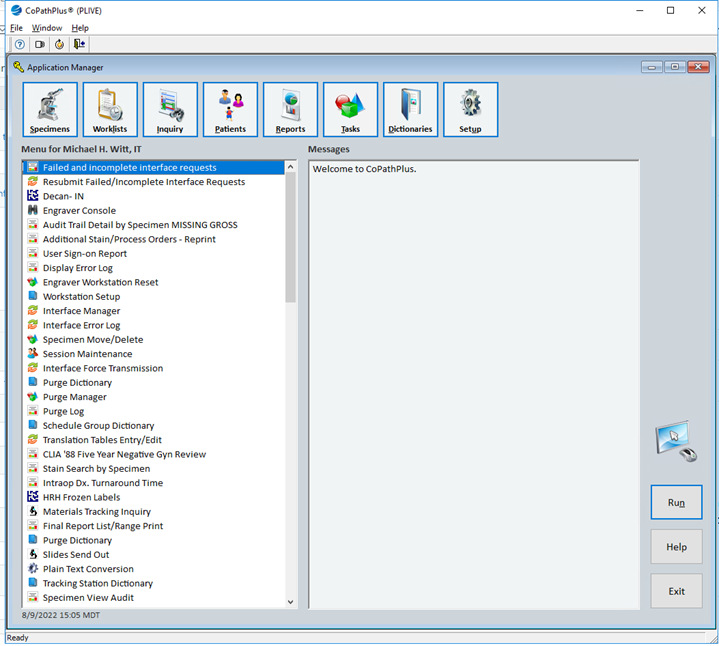
- Login to CoPath, the default screen will have nothing on the Right Side and a few items on the Left side until you populate your own list.
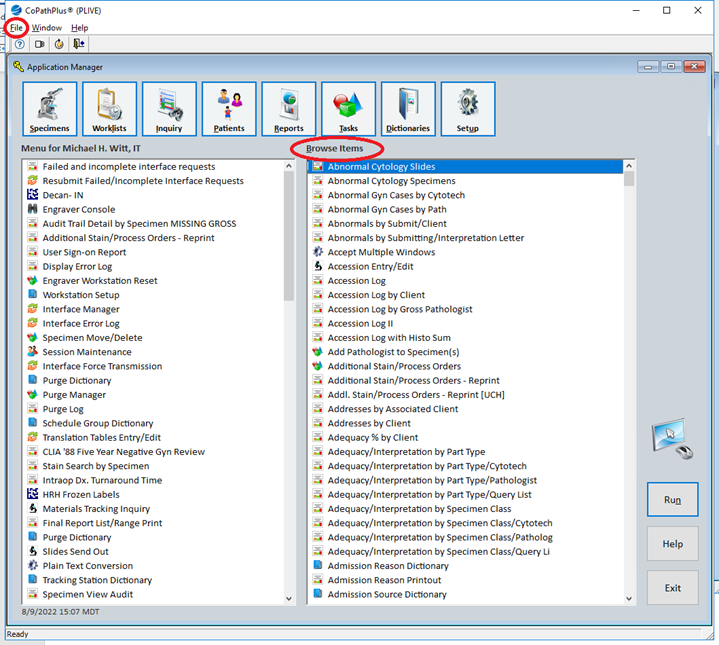
- At the top of the CoPath screen, click File, then Browse Items. An alphabetical list of all CoPath items is displayed on the Right panel.
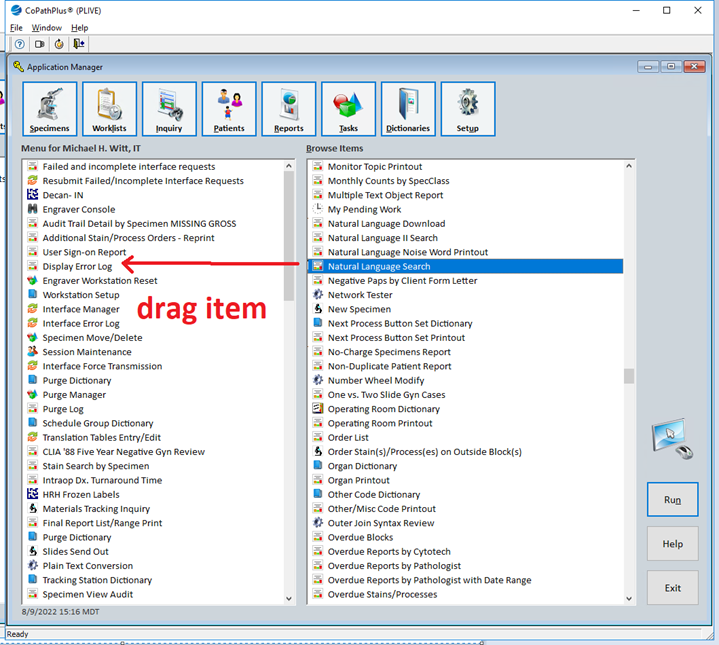
- From here, you can drag any item from the Right Panel to your Left Panel. Wherever you drag the item to, it will remain. In other words, it is not sorted on the Left Panel.
Comments
0 comments
Please sign in to leave a comment.