
Please follow steps 1-8. We have provided screenshots for reference.
File - Browse Items
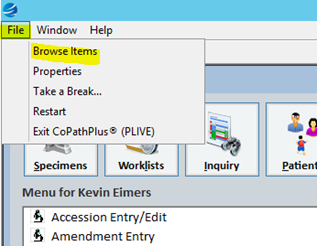
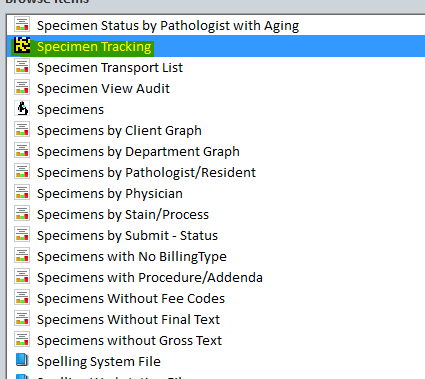
Add Specimen Tracking to your favorites (click and drag into your favorites bar)
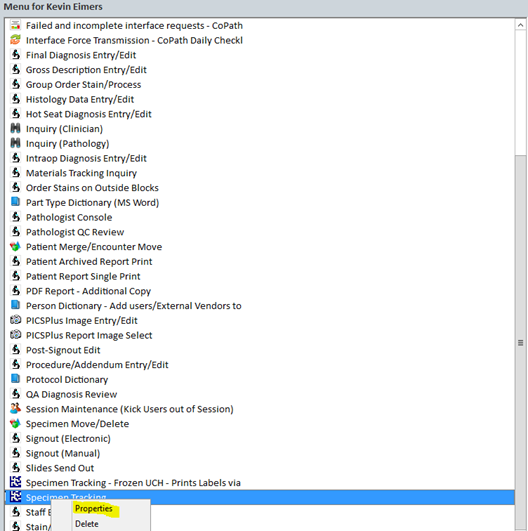
Right click on Specimen Tracking and click Properties
Change name of Specimen Tracking to Case Assembly
Click Details…
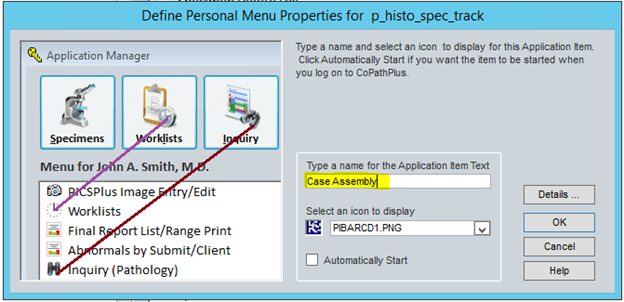
Click the drop down menu and choose Case Assembly
Click OK when complete

If you are in need of Embedding and Microtome, please do same process but under “Type a name for the Application Item Text” name it Embedding or Microtome (based on what you need)
Comments
0 comments
Please sign in to leave a comment.