
Received emails can get caught in the junk email folder. It isn't just due to the originating email address but can be from the email content. If you want to receive emails that may get tagged as junk (clinical terms can be found in junk filter lists), then add the email address as a SAFE SENDER to the Junk Email Folder. That way no matter what the content it wont get put in the junk folder.
To do this:
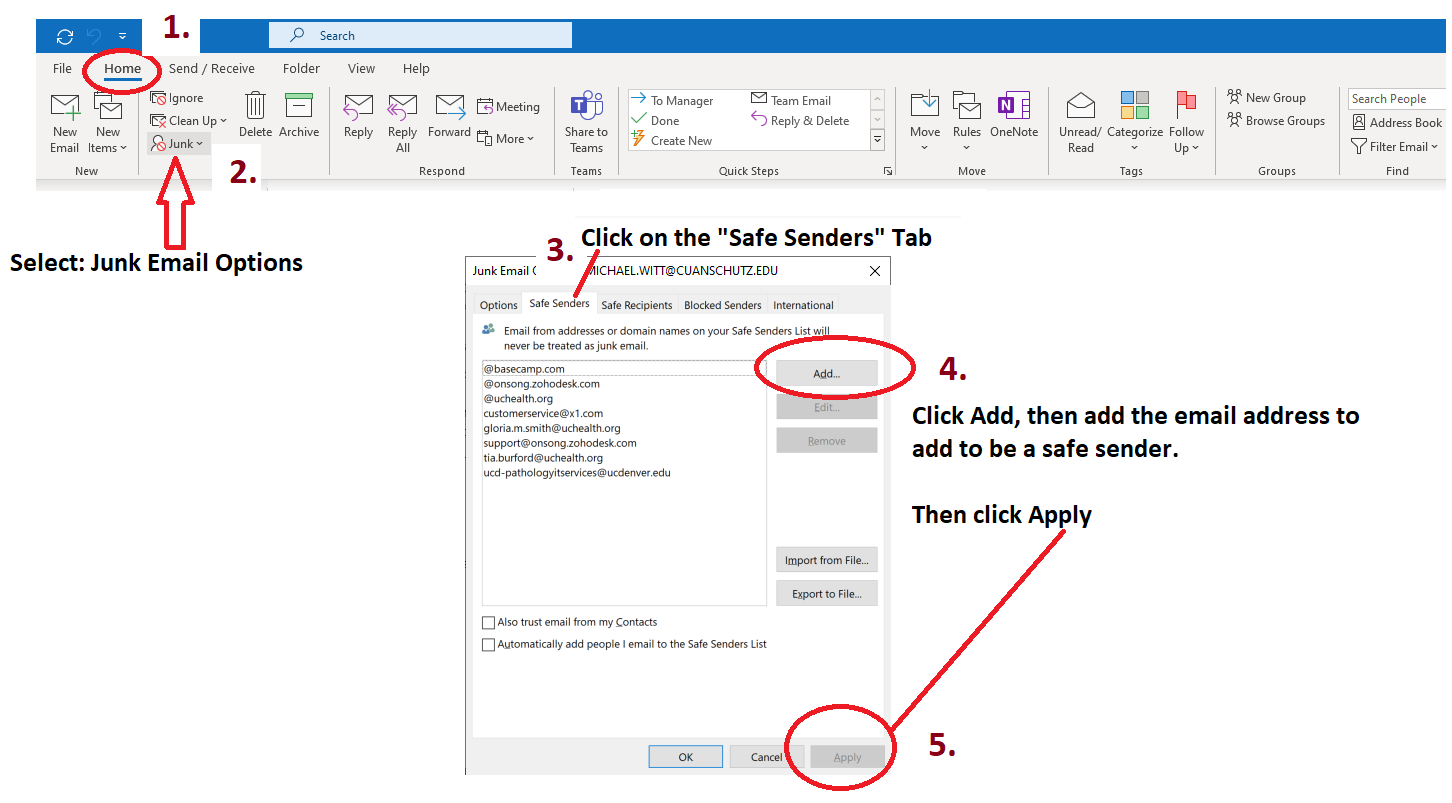
- From Outlook Home click on the Junk pull-down located at the top in the "Delete" section of the menus.
- Select the "Junk email options" and a panel opens.
- Select the Safe Senders tab.
- Add the email address as a safe sender by clicking Add and entering the email address.
- Click Apply.
See diagram below.
Comments
0 comments
Please sign in to leave a comment.