
Press combination Command +K (It will pop up the window for mapping Network Drive).
OR
Click GO (Top bar of Finder) → Connect to Server at the bottom.
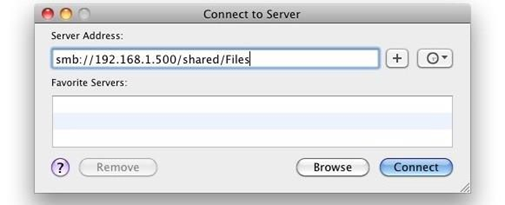
Type the following link into the “Server Address”:
//path-thor-08/Folder Name
Click connect and type your username and password if required
- Note: If your username does not work, please try university\username OR your full university e-mail address
Comments
0 comments
Please sign in to leave a comment.