- Go to the website that you need to bookmark

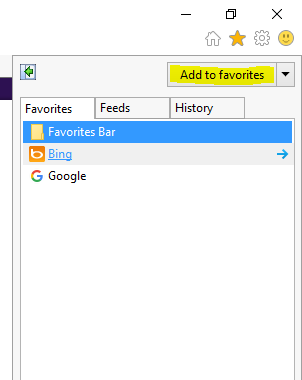
- Locate the “Star” icon on the top right side of Internet Explorer. Click on it.

- After clicking on the “Star” Icon, a drop down menu will appear showing all bookmarks you have previously created. Click on “Add to Favorites” to add your website to your favorites.
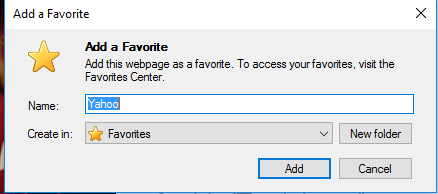
- Name your website. In this case, since I am visiting Yahoo.com, I will name my bookmark “Yahoo”. Click on “Add” when complete.
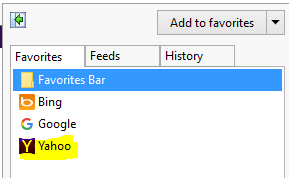
- Click on the “Star” icon again, and you will now see your bookmark
- Click on the “Star” icon again, click, and drag the bookmark onto your desktop. Once complete, it will look like this (Note: The icon may be different depending on the bookmark that you created).
How to Save Bookmarks onto Desktop (Internet Explorer)

Comments
0 comments
Please sign in to leave a comment.